Where it started
Regular torrent clients always gave me some kind of speed trouble: a download took ages to ramp up, got stuck on the last few percent, or simply ran slower than my connection allows. Tweaking settings helped only sometimes, and it wasn't clear what to tweak.
So I sat down to figure it out. Together with AI I went through how the popular clients work and made a list of the places where speed gets lost. Then I built a client that closes each of them.
What came out of it
- Fast start. The client asks every tracker and the DHT network at once instead of one by one, so peers turn up within seconds.
- More useful connections. Slow peers that send nothing get replaced, and requests to fast peers don't hit a small queue limit.
- No stall at the end. The last pieces are requested from several peers at once, so the tail doesn't wait for the slowest one.
- Connection encryption against ISP throttling of torrent traffic.
- Windows specifics: files are created without zero-filling, and the router port opens by itself (UPnP).
How to use it
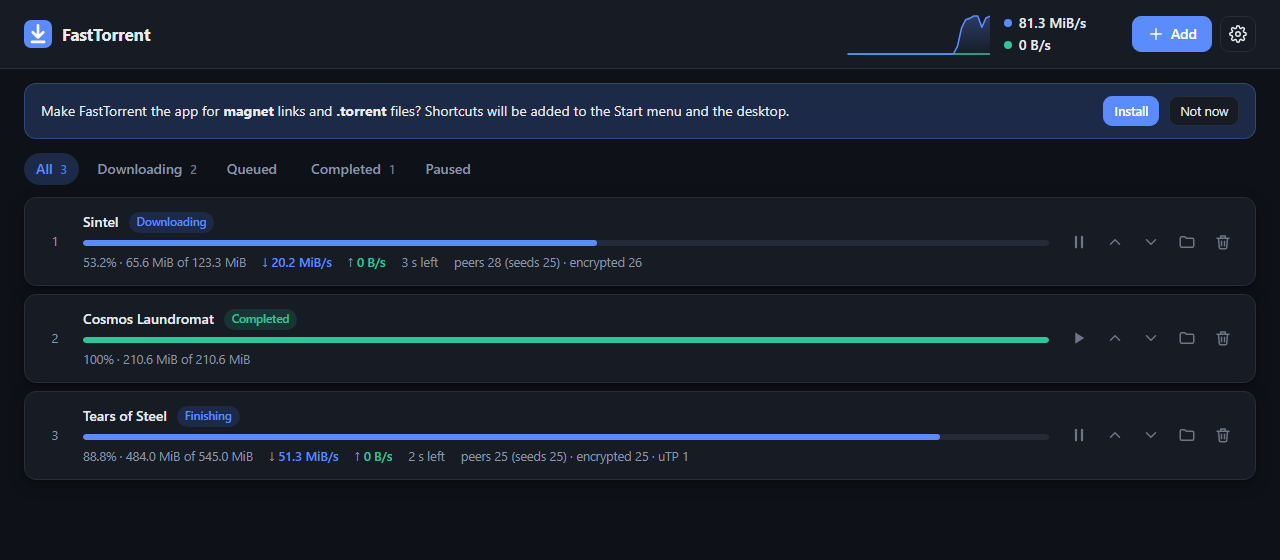
- The interface opens in your browser: a queue, pause, choosing files inside a torrent, a speed chart, a proxy for unreachable peers.
- The "Install" button makes FastTorrent the app for magnet links and .torrent files. No admin rights needed.
- Language: English or Ukrainian, picked from your system. You can change it in Settings.
- The exe isn't code-signed, so Windows SmartScreen may warn you. Click "More info" → "Run anyway".
How it's made
Node.js with no third-party libraries: the BitTorrent protocol, DHT, uTP, encryption and the web interface are written from scratch. It builds into a single exe, so you don't need Node.js installed.